


 Re: How to setup Linux PC CCcam server under 1 hou
Configure CCcamphpinfo in Clarkconnect
Configuring CCcamphpinfo in Clarkconnect is easy.
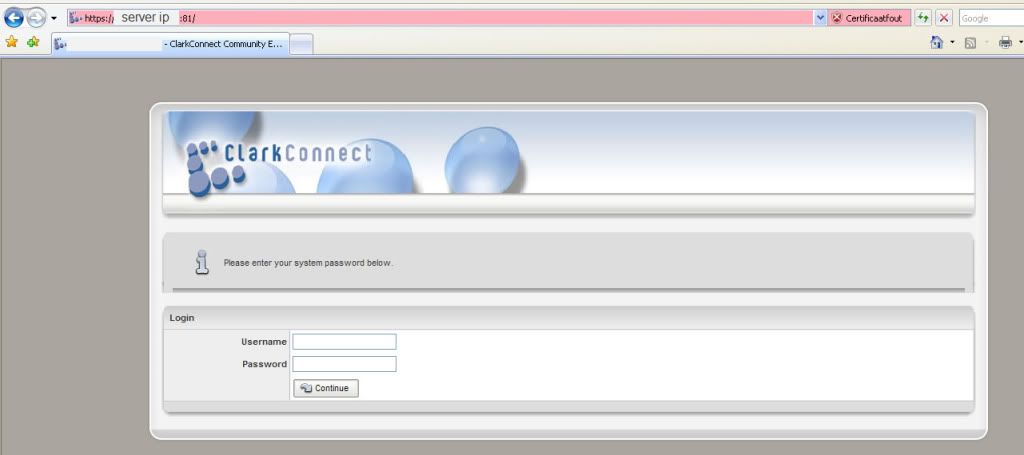
First login the webinterface. https://serverip:81 notice the S that is very important. It won’t work without it. Username is root and password is password that you have chosen during installation.
This image has been resized. Click this bar to view the full image. The original image is sized 1024x455.
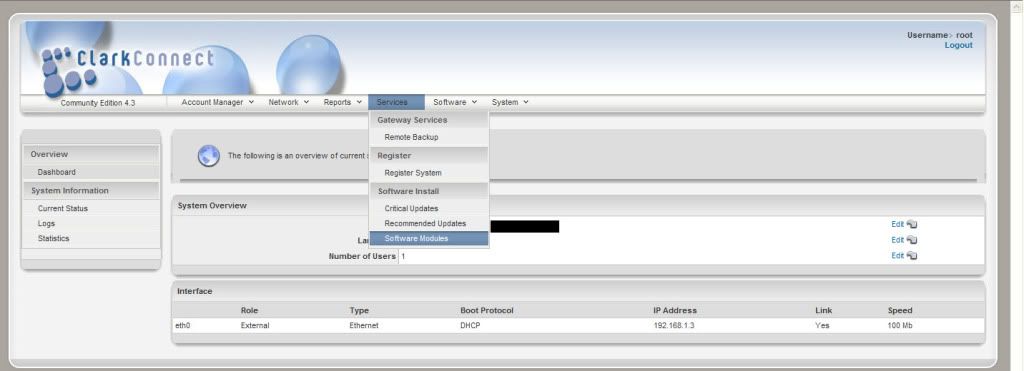
Go to service -> software
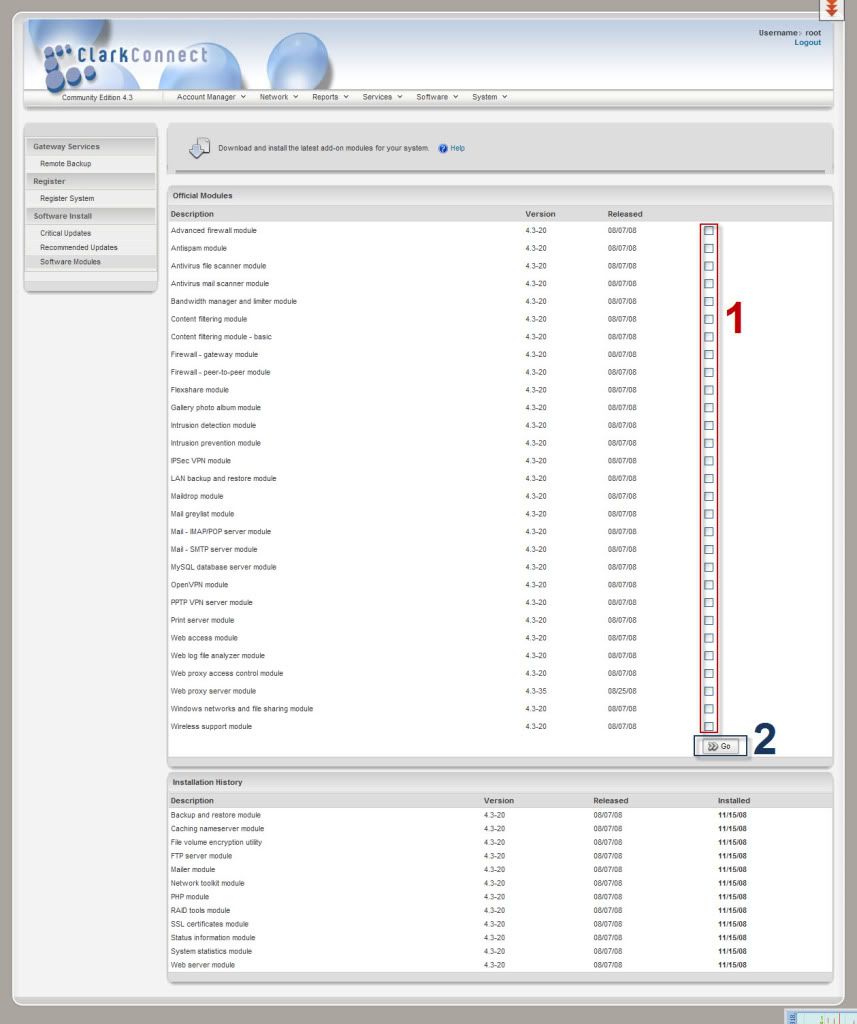
find webserver in the list where (1) is written. and press go (2)
You will see the installation procedure when you see done then it finish
We just have to activate those program.
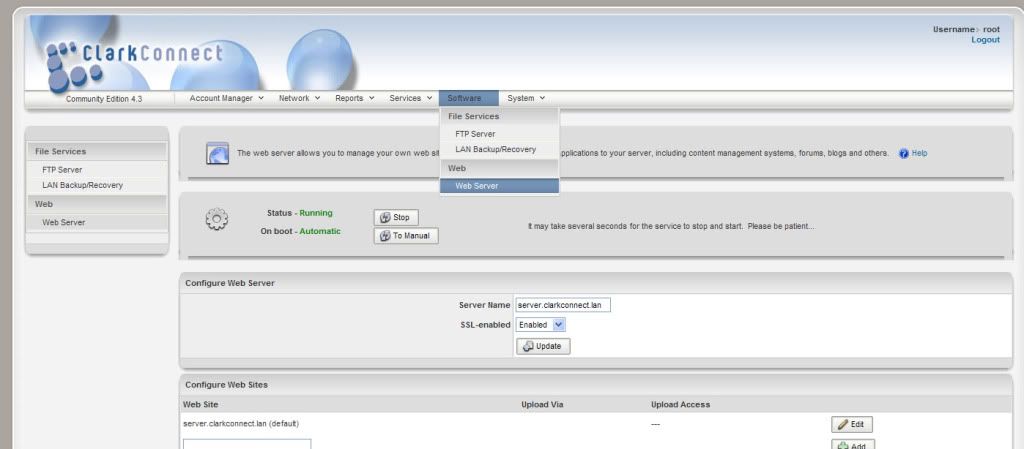
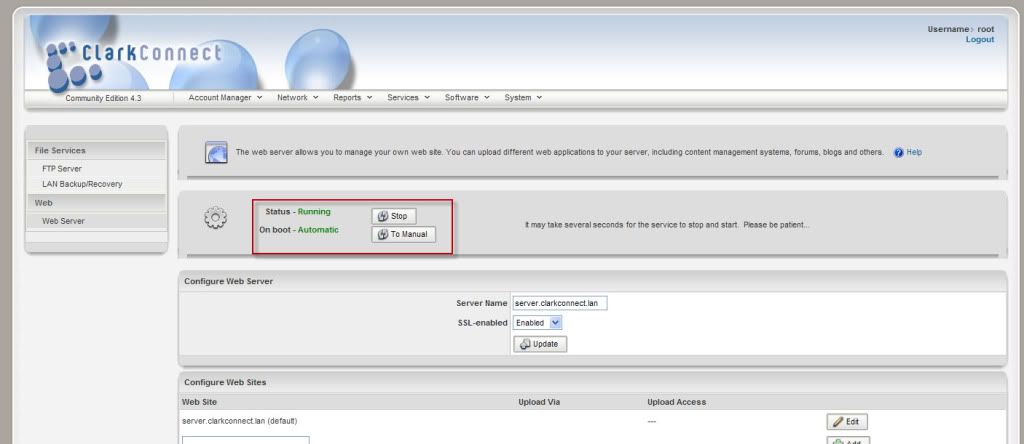
press software-> webserver
press the two buttons. They have to be like on the picture green.
One is to start the server second is to start it on boot.
Webserver is up and running.
download CCcamphpinfo files you can find it in this here. (download htdocs only)
Sky Uk
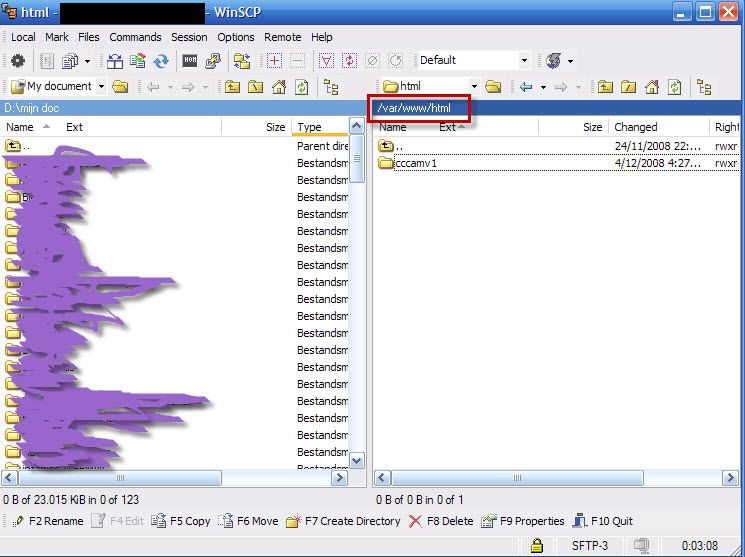
log in with winscp its free tool WinSCP :: Download
go to /var/www/html this is the place where we will put the files in.
delete everything in it and copy CCcamphpinfo files in it.
I've made a map called ccamv1 and put evetying in there chose is yours its the same.
find the file config.php in cccamphpinfo and right click with mouse press edit.
and edit it like this
Code:
<?php
//---------------------------------------
// CONFIG
//---------------------------------------
//examples of server definitions
$CCCamWebInfo[] = array("server ip adress","16001","username","pasword"); // for CCcam webinterface with user and pass // for CCcam webinterface with all defaults
$work_path = "/tmp/"; // set this if you want working folder separate // Example $work_path = "/tmp/";
$update_from_button = true; // set to true if you want Update button ( usefull if update is from remote server and takes too long)
$fullReshare = true; // shows maximum reshare if more than one route for same node // set to true to see actual reshare instead of YES/NO
$country_whois = true; // use whois for country detection
$programversion = "CCcamInfoPHP v0.8.6 (DT2)";
$server_username = "";
$clientmessageport[] = array("","","","");
$language = "EN";
if (file_exists("language/".$language.".php"))
include "language/".$language.".php";
else
{
echo "Upssss!!! Language file ".$language.".php not found, check language directory.";
exit;
}
?>
server ip adress: is the ip adres of the server
usname and pasword: is the pasword that you have chosen in CCcam.cfg
port is default 16001
Thanks to gul156 for its contribution

 Reply With Quote

