-
Robot
Most Wanted

- Rep Power
- 82
 Microsoft Will Preload Windows 11 File Explorer to Fix Bad Performance
Microsoft has acknowledged that File Explorer on Windows 11 has performance issues, which is concerning for such a crucial application within an operating system. To address this, Microsoft is considering preloading File Explorer in the background to enable quicker access when users open the application. In the Windows 11 Insider Preview Build 26220.7271 (KB5070307) available in the Dev & Beta channels, Microsoft stated, "We're exploring preloading File Explorer in the background to help improve File Explorer launch performance. This shouldn't be visible to you, outside of File Explorer hopefully launching faster when you need to use it."
If you prefer the traditional behavior, you can disable window preloading. Open File Explorer, navigate to Folder Options, select the View tab, and uncheck Enable window preloading for faster launch times. Microsoft is seeking feedback, and if you encounter any issues, you can report them in the Feedback Hub under Files, Folders and Online Storage > File Explorer Performance or Files, Folders and Online Storage > File Explorer.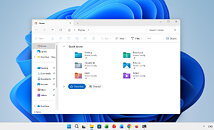
Read full story
More...
 Posting Permissions
- You may not post new threads
- You may not post replies
- You may not post attachments
- You may not edit your posts
-
Forum Rules


